Coco Crab Unity Source Code
Looking for a fun mobile game project that you can customize and expand? Coco Crab Unity Source Code is a complete starting point for developers who want a colorful, crab-themed casual game while saving development time. It suits developers, game studios, students, and creators who want to build their own mobile game. You can also browse more Unity source code projects in our store.
What Is Coco Crab Unity Source Code?
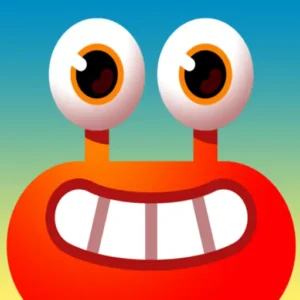
Coco Crab is built around a playful tropical world with an accessible, entertaining gameplay experience. The colorful presentation, simple controls, and casual mechanics make it a great fit for mobile platforms and a wide audience. You can use the project as a foundation and modify its gameplay systems, visuals, levels, characters, interface, and progression to create a unique game.
Key Features
- Complete Unity project ready to open, edit, and build
- Colorful tropical crab theme with casual gameplay
- Simple touch controls designed for mobile
- Easy to reskin: characters, backgrounds, effects, and UI
- Suitable for Android and iOS builds
- Ready for ads, in-app purchases, and rewards integration
Why Choose a Unity Source Code Project?
The main advantage of a source code project is working directly with the game’s underlying systems. Instead of starting from an empty Unity scene, you begin with an existing structure and focus on customization and new features. You can change the mechanics, replace assets, redesign environments, adjust animations, modify the interface, and create new challenges to match your vision.
Learn Unity with a Real Game Project
This project is also useful if you are learning Unity. By studying the scripts and project structure, you gain practical experience with player interactions, gameplay logic, object management, UI systems, animations, level progression, and mobile controls. Seeing how these systems work together in a finished game is one of the fastest ways to learn. If you want to compare with other projects, check our Unity game templates.
Monetization and Customization Options
You can adapt the project to your own game concept and business model. Add advertising, in-app purchases, rewards, extra levels, collectibles, power-ups, achievements, or daily challenges. You can also replace the crab character, change the tropical environments, create new backgrounds, add effects and animations, and redesign the interface, turning it into a completely different casual or adventure-style game.
Build for Android and iOS
Unity lets you build for multiple platforms from a single project structure, which makes this source code a convenient starting point for cross-platform development. Before publishing, you can optimize performance, adjust screen layouts, configure controls, and integrate platform services. Learn more about building mobile games in the official Unity documentation and tools.
Frequently Asked Questions
Can I publish games made from this source code?
Yes, you can customize the project and publish your own version to app stores, following the license terms included with your purchase.
Is Coco Crab Unity Source Code good for beginners?
Yes. It is a practical way to learn how a complete casual mobile game is structured in Unity.
Can I change the graphics and add ads?
Yes. You can replace the artwork, redesign the UI, and integrate ad networks or in-app purchases. Start with Coco Crab Unity Source Code, explore its gameplay systems, and turn it into a unique Unity game tailored to your audience. Also explore more Unity games and templates. https://youtu.be/lQHxPk9ulC4