


Meatlys Storage Horror Unity Source Code
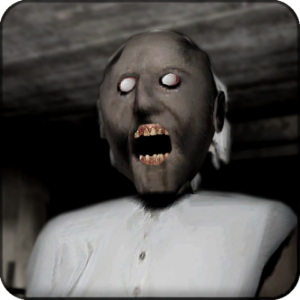
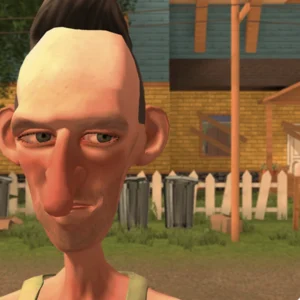
Dreaming of a chilling first-person scare game but dreading the months of groundwork? Meatlys Storage Horror Unity Source Code is a ready-made horror project set inside a dim, abandoned storage facility, where every corridor hides a secret and every sound raises the tension. It gives developers a working base for exploration, suspense, and atmosphere, so you can concentrate on your own story and scares instead of rebuilding the basics. Browse more Unity source code projects in our store.
What Is Meatlys Storage Horror?
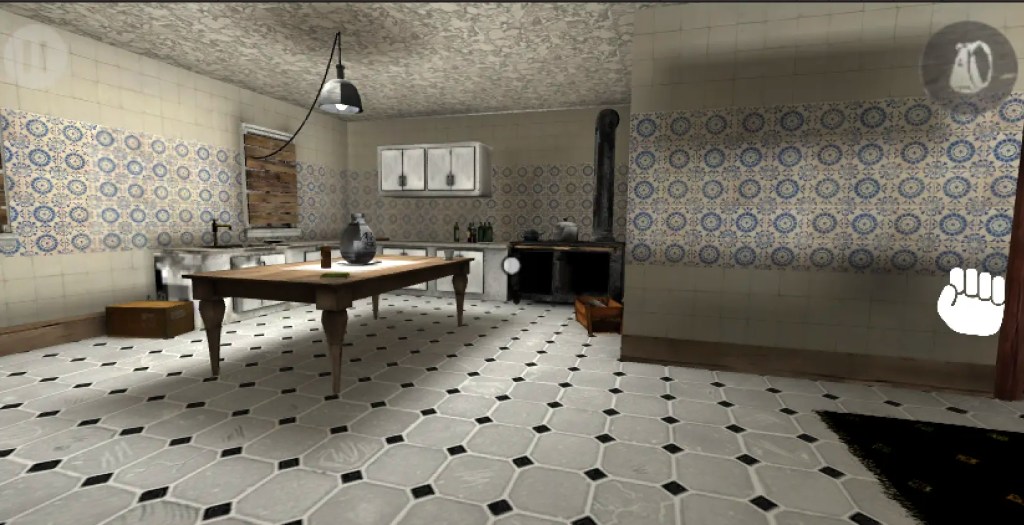
This project places the player inside a claustrophobic facility filled with narrow hallways, locked rooms, and unsettling silence. Nothing feels safe, and the player must search each area carefully to understand what is going on. That feeling of isolation is the heart of good horror, and this project gives you a strong foundation to build it on.
Because the setting is enclosed and easy to control, it is also a smart choice for small teams. A tight location means fewer assets, faster testing, and a more focused experience, while still leaving plenty of room for creative ideas.
Meatlys Storage horror Unity Source Code Features
- Complete Unity horror project ready to open, edit, and build
- Storage facility environment with corridors, rooms, and tight spaces
- Exploration-focused gameplay with a tense, immersive mood
- Interactive objects such as doors, items, and switches
- Lighting and sound setup designed for suspense
- Flexible structure that is easy to expand with new content
- Editable scenes, materials, and settings for quick experiments
- Suitable for PC builds, with optimization possible for other platforms
Exploration and Discovery
Wandering through dark rooms and searching for clues is what drives this genre. Players open doors, inspect corners, and slowly uncover what happened in the building. You can expand the map with extra rooms, hidden areas, locked doors, notes, keys, and puzzles that reward curiosity and keep players engaged from start to finish.
Environmental storytelling works especially well here. A scattered document, a broken shelf, or a flickering lamp can suggest a whole history without a single line of dialogue. Use the project as a canvas and let the environment tell the story for you.
Build a Truly Dark Atmosphere
Mood makes or breaks a horror title. Unity gives you the tools to shape it: dramatic shadows, flickering lights, thick fog, post-processing filters, and layered ambient audio. Turn the storage facility into a rusty warehouse, an underground bunker, or a secret laboratory simply by changing materials, lighting, and sound. Small adjustments can completely transform how frightening the game feels.
Sound deserves special attention. Distant footsteps, creaking metal, and sudden silence often scare players more than any monster. Experiment with audio placement and volume to guide emotions and keep players guessing.
Interactive Systems You Can Extend
Good horror depends on meaningful interaction. Players may unlock doors, pick up objects, read documents, flip switches, or trigger events. Use the existing systems as a base and add inventory management, key and lock mechanics, collectibles, puzzles, and scripted moments to create the exact gameplay loop you have in mind.
Suspense Without Constant Action
The scariest games often show very little. Sudden noises, empty hallways, lights that go out, and small environmental changes build dread long before anything appears. Once tension is high, you can add enemy AI, chase sequences, patrol routes, detection systems, and hiding spots to deliver the payoff. Mixing quiet exploration with sharp moments of danger keeps players nervous and immersed.
A Practical Way to Learn Unity Horror Design
Studying a complete project teaches more than isolated tutorials. Open the scenes, read the scripts, change settings, and watch how lighting, audio, and interaction work together. It is a hands-on way to understand level structure and pacing in a finished game. For official engine guides and documentation, visit the Unity website.
Reskin and Expand the Project
Flexibility is the biggest advantage of working with source code. Replace the environments, characters, textures, animations, sounds, and interface to build a fresh visual identity. Then add your own storyline, missions, enemies, collectibles, and progression system. The result can be a genuinely original horror game rather than a copy of the starting project. Compare it with our other Unity game templates for more inspiration.
Ideas to Make Your Version Stand Out
- Add a limited flashlight battery to increase pressure
- Create multiple endings based on player choices
- Introduce a stalker enemy that reacts to noise
- Hide lore documents that reveal the facility’s secret
- Design short escape-room style puzzles between scares
Who Is This Source Code For?
It suits indie developers, small studios, students, hobbyists, and anyone curious about horror game development. Whether you want to prototype quickly, study how tension is built, or launch a complete scare game, this project can shorten the road and give you a reliable starting point.
Frequently Asked Questions
Can I publish a game made from this source code?
Yes, you can customize the project and release your own version, following the license terms included with your purchase.
Is it good for beginners?
Yes. It is a practical example of how a horror game is organized in Unity, and it is easy to experiment with.
Can I add enemies, puzzles, and new levels?
Yes. The project is designed to be extended, so you can add AI, puzzles, rooms, and story elements freely.
Can I change the graphics and sounds?
Yes. You can replace models, textures, lighting, music, and effects to create your own style.
Get the Meatlys Storage Horror Unity Source Code, shape its shadows around your own ideas, and launch a horror game that players will not forget. Discover more Unity games and templates for your next project.